Recently, I was chatting with a colleague about our shared use of Cursor, the AI-native coding environment that’s been generating a lot of buzz. We both enjoy the productivity boost it offers, but the conversation took a turn when we started wondering about usage-based costs—and whether we were truly in control of them.
I first discovered Cursor through The AI Daily Brief, a curated newsletter I’ve come to trust for quality updates in the AI space. Intrigued, I signed up for the $20/month Pro plan, which seemed like a fair price for what Cursor claimed to offer.
But over time, I started to ask: What does that $20 really include? And more importantly, could I accidentally rack up extra charges without realizing it?

Breaking down the pricing
Cursor’s pricing documentation is fairly transparent. Here’s a summary of what the Pro plan offers:
- Unlimited tab completions (for GitHub Copilot-style interactions)
- Access to BugBot and Background Agents
- Extended usage limits on all supported models
Most importantly, you get over $20 of agent model inference per month at API pricing. That translates roughly to:
- ~225 Sonnet 4 requests
- ~550 Gemini requests
- ~650 GPT-4.1 requests
Heavier models like Claude Opus 4 burn through your budget faster. Cursor recommends being intentional about which agent you use. Also, consider when to use them.
Once you hit your monthly limit, you’re presented with clear options:
- Switch to Auto (use cheaper models)
- Enable usage-based pricing (and get billed per token)
- Upgrade your plan (Pro+ or Ultra)
No silent downgrades. No surprise charges—unless you’ve opted into usage pricing.
My Usage Settings (And What You Should Check)
After reading mixed reports—some cautionary Reddit threads and detailed commentary in The AI Daily Brief—I decided to double-check my account.
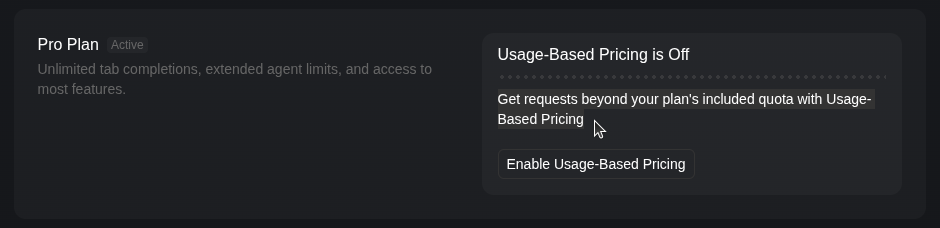
Good news: when I visited my dashboard, I confirmed that usage-based pricing is off. That means I’m safely operating within the limits of the $20/month Pro plan. Any overages will be blocked unless I explicitly opt in.
Takeaways
If you’re using Cursor, I recommend:
- Reviewing your plan details: Understand what’s included—and what’s not.
- Checking your dashboard settings: Make sure usage-based pricing is off unless you really need it.
- Choosing your models wisely: GPT-4.1 is efficient, but Opus and Sonnet can eat up your quota fast.
Cursor is a powerful tool—but it’s still your responsibility to stay informed and avoid surprises. A few minutes of research can save you hours of regret (and dollars off your credit card).
This post was drafted with the help of ChatGPT to summarize technical documentation and clarify concepts for a broader audience.
 Rolfe Dlugy-Hegwer
Leave a comment